
W100 Alarm20.3 - Get APK
You'll be able to download in few seconds.
Publisher Description
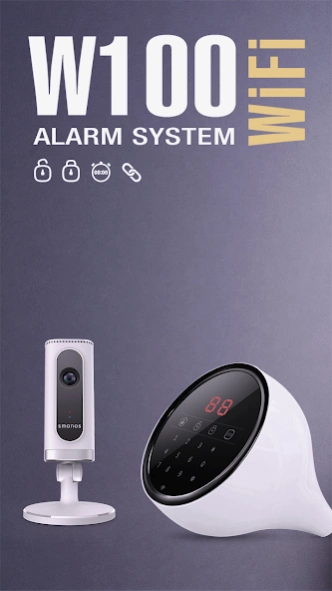
The World’s first WiFi/PSTN app-controlled security alarm system
smanos W100 is a dual-mode, Wi-Fi/PSTN friendly alarm system, with very simple wireless setup and no mechanical keys to wear out. Simply plug in a PSTN landline, follow easy Wi-Fi setup steps, and voila, your house is protected. When the system detects acts of intrusion, you will be notified by a phone call and SMS text message while the built-in loud siren sounds at a formidable volume, keeping your smart home safe and sleek.
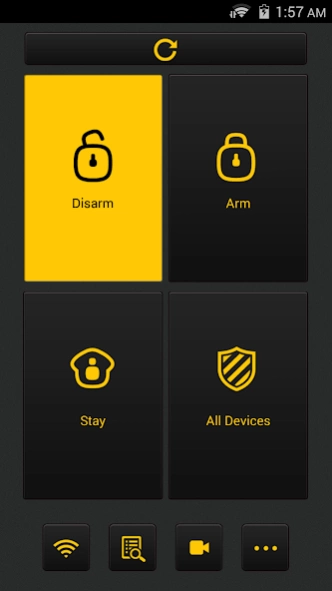
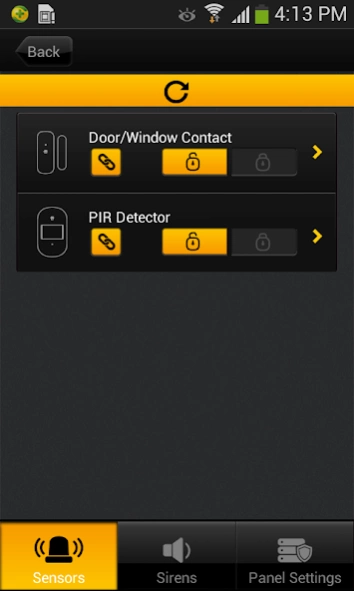
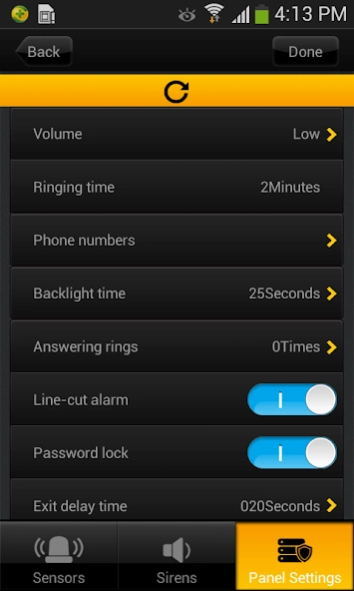
The intuitively designed smanos W100 app interface enables you to effortlessly adjust system settings on the go: arm/disarm, home mode, zone/sensor naming, siren volumes and times, and additional sirens.
In the picturesque outskirts of Amsterdam (Hoofddorp) came about the inception of smart home technology brand, smanos, in 2013. Harnessing cutting-edge design concepts and ergonomics, smanos brings the ultimate simplicity in smart home and smart security user experience to households and SOHO users worldwide. Delivering more than just a sense of security, smanos also ensures user-definable comfort and convenience, along with mobile accessibility. In its pursuit for perfection in human-centric research and design, smanos will continue to wow you by putting the smarts of smart home and smart security directly in your hands.
Dream big and live smart with smanos.
摄像机,Camera
About W100 Alarm
The company that develops W100 Alarm is SMANOS HOLDING LTD.. The latest version released by its developer is 20.3.
To install W100 Alarm on your Android device, just click the green Continue To App button above to start the installation process. The app is listed on our website since 2020-05-25 and was downloaded 0 times. We have already checked if the download link is safe, however for your own protection we recommend that you scan the downloaded app with your antivirus. Your antivirus may detect the W100 Alarm as malware as malware if the download link to com.chuango.cw100 is broken.
How to install W100 Alarm on your Android device:
- Click on the Continue To App button on our website. This will redirect you to Google Play.
- Once the W100 Alarm is shown in the Google Play listing of your Android device, you can start its download and installation. Tap on the Install button located below the search bar and to the right of the app icon.
- A pop-up window with the permissions required by W100 Alarm will be shown. Click on Accept to continue the process.
- W100 Alarm will be downloaded onto your device, displaying a progress. Once the download completes, the installation will start and you'll get a notification after the installation is finished.
Program Details
System requirements
Download information
Pricing
Version History
version 20.3
posted on 2020-05-25
Delete unnecessary linkage
version 20.2
posted on 2019-12-19
20.2
- Fixed an issue where certain users were unable to receive push notifications
version 19.8
posted on 2019-08-21
Bug fixed
version 18.8
posted on 2017-05-03
version 16.1
posted on 2016-03-29
1. Compatible with Android pad devices,2. Bug fix
Disclaimer
External Download
We do not host W100 Alarm on our servers. We did not scan it for viruses, adware, spyware or other type of malware. This app is hosted by Galad and passed their terms and conditions to be listed there. We recommend caution when installing it.
The APK Download link for W100 Alarm is provided to you by apps112.com without any warranties, representations or guarantees of any kind, so access it at your own risk.
If you have questions regarding this particular app contact the publisher directly. For questions about the functionalities of apps112.com contact us.
